Every order in one place
iFood, 99Food, Keeta, Rappi, counter, table and your own delivery all land on the same screen.
Restaurant system · built in Brazil
iFood orders, dining-room tables, kitchen, cash and stock in the same system. Easy enough for your team to use on day one — and no fee per order.
Works on the computer, the tablet and the phone
iFood, 99Food, Keeta, Rappi, counter, table and your own delivery all land on the same screen.
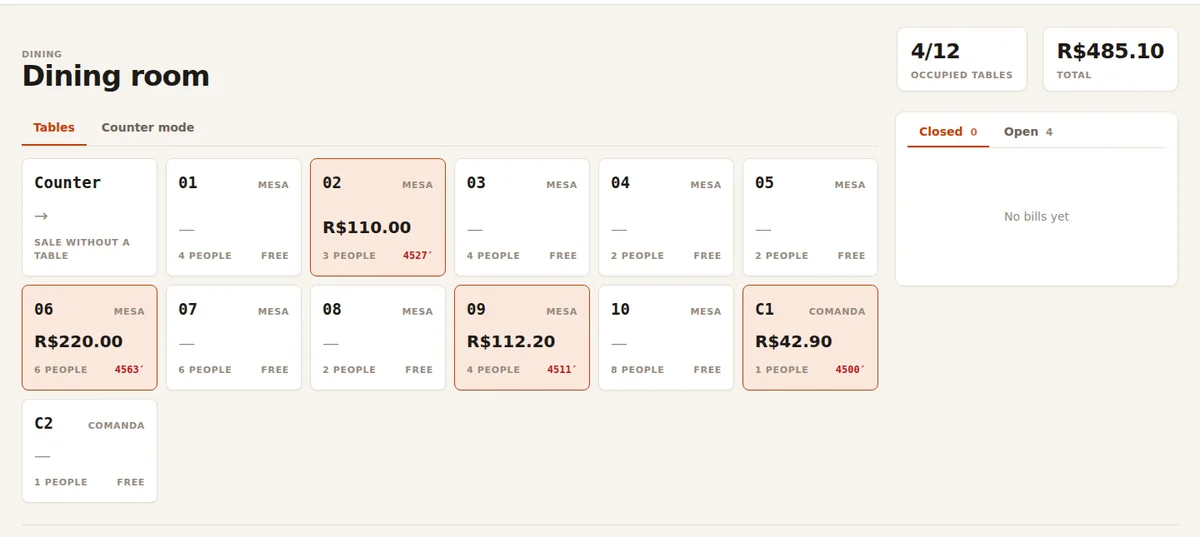
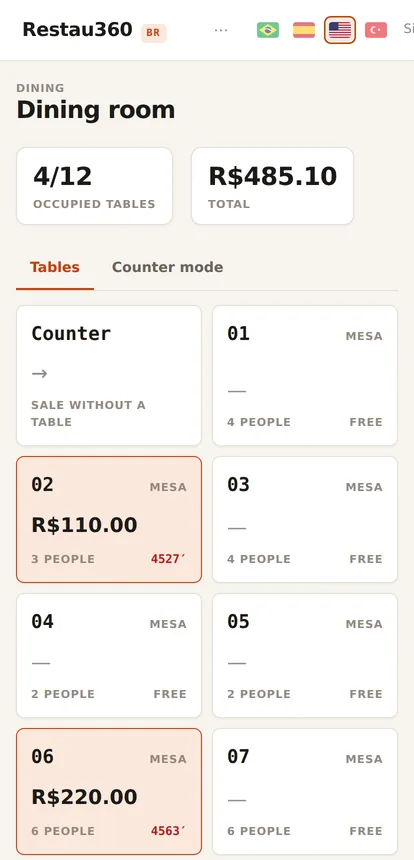
The bill shows the server, the time it opened, how many guests and everything already served.
The ticket comes out split by station — grill, fryer, bar — with the time on each order.
Cash counted, app commission deducted and what each channel actually left you, on screen.
Menu, tables, printers and sales channels configured together with your team. You are not left alone in front of the screen.
The server opens the table, the kitchen sees the ticket, the cashier charges. Short training, no eighty-page manual.
From your phone you can see an open table, a late order and how much came in today — without calling the floor.
These are the system's screens running, not marketing drawings. You switch on only what you use — the rest stays off and off the bill.
Paper tabs lose items, servers forget to ring things in, tables stay open with nobody noticing. Here the table is a screen: who opened it, how many guests, what has been served and for how long.
In a restaurant the internet drops right in the middle of the rush. The system does not freeze and nobody has to go back to the paper pad.
Counter and table keep working. Each sale is stored on the device itself, with the time and who made it.
The system sends everything on its own, in the right order. Nobody has to type it again.
Each sale carries its own identity. If it arrives twice, the system recognises it and ignores it.
And if two people touched the same bill at the same time, the system stops and asks — instead of choosing on its own and erasing someone's work.
Not everything here is new. These six things are — and they are exactly the ones that hit your pocket.
Most systems are good at delivery or at the dining room. Here the iFood order and the table tab are the same thing, with the same stock and the same cash drawer.
You paste the supplier's invoice XML and the cost comes in on its own. No typing ingredient prices every week — and no guessing your margin.
In that app promotion, sometimes the app pays and sometimes you do. When the channel reports it, we keep it — and profit per channel stops being guesswork.
The till does not stop. And when the network is back, nothing goes in twice.
An order that did not come in, a ticket that did not print, an item with no station: it all becomes a named warning on screen. The worst problem is the one nobody saw.
No plan stuffed with switched-off features. Delivery only? Take channels. Dining room only? Take tables and cash. Grown? Switch on the rest.
Same foundation, same modules. You grow without changing systems halfway.
No rehearsed presentation: it is the system's screen in use, with captions explaining each step. Click and watch — the videos run under a minute.
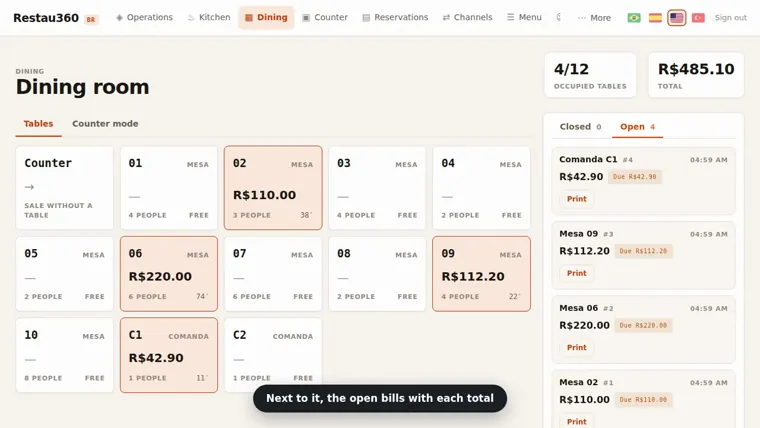 Dining-room tables, the way the team sees them
29 seconds · no sound
Dining-room tables, the way the team sees them
29 seconds · no sound
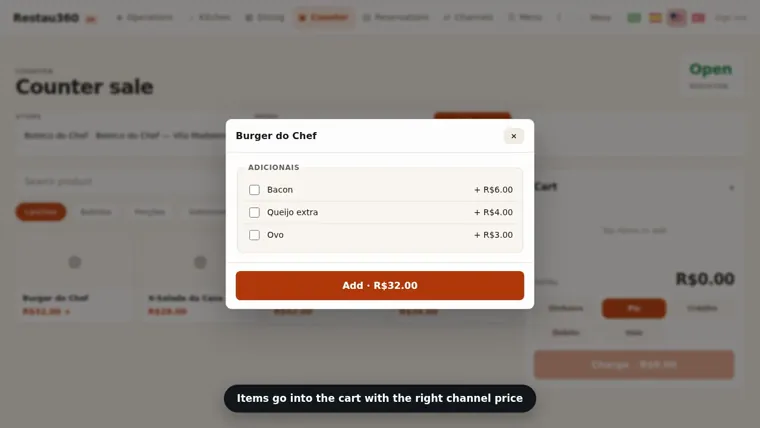 A counter sale, from item to payment
33 seconds · no sound
A counter sale, from item to payment
33 seconds · no sound
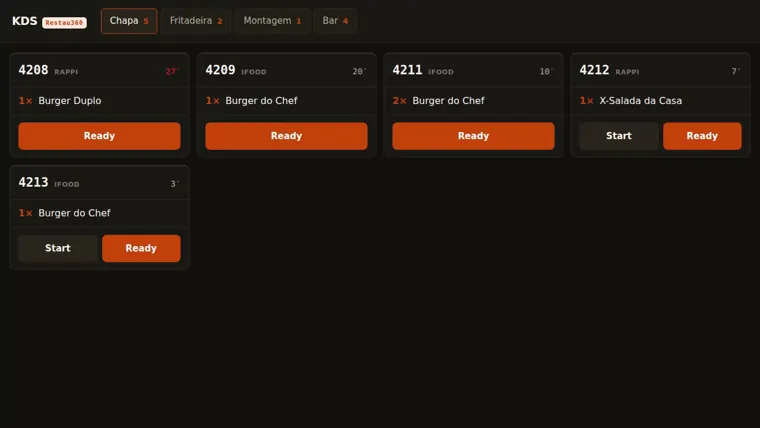 The kitchen marking what is ready
21 seconds · no sound
The kitchen marking what is ready
21 seconds · no sound
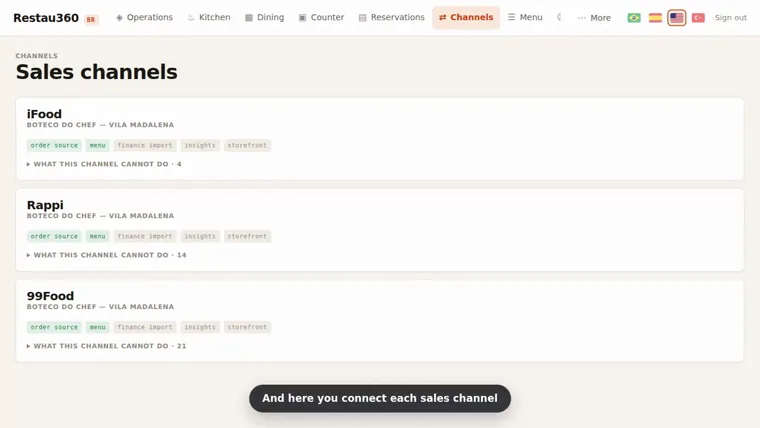 App orders arriving together
18 seconds · no sound
App orders arriving together
18 seconds · no sound
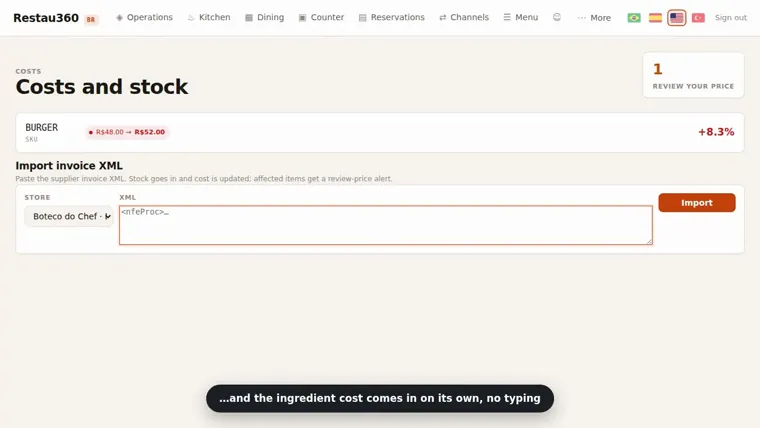 The supplier invoice turning into cost
15 seconds · no sound
The supplier invoice turning into cost
15 seconds · no sound
Start with what your place uses today and switch on the rest as you grow. No per-order fee and no lock-in — selling more doesn’t raise your monthly bill.
Price per month. On yearly you save 15% — billed once a year.
To run it: dine-in, delivery, kitchen and cashier online.
R$220/mo
per month · billed once a year
Save 15%Support
An organized kitchen and your month’s results in order.
R$339/mo
per month · billed once a year
Save 15%Support
For store chains and large operations.
Talk to us
Fixed price based on your operation.
Support
Every plan includes
Issue and receive fiscal documents, for companies with 1 CNPJ. Add it to any plan.
R$89,90/mo
100 invoices included · then R$ 0.20 per invoice
Add Tax invoicingIncluded
What each plan switches on in your operation. We only list what already works today.
| Feature | Basic | Pro Most popular | Custom |
|---|---|---|---|
| Operation | |||
| Dine-in, POS and Cashier (offline) | ✓ | ✓ | ✓ |
| Menu and your own store (QR/PWA) | ✓ | ✓ | ✓ |
| Channels: iFood, 99Food, Keeta, Rappi | ✓ | ✓ | ✓ |
| Kitchen (KDS) | ✓ | ✓ | ✓ |
| Reservations and Queue | ✓ | ✓ | ✓ |
| Dispatch and courier app | ✓ | ✓ | ✓ |
| Unlimited users | ✓ | ✓ | ✓ |
| Management and intelligence | |||
| Inventory and Costs (CMV) | — | ✓ | ✓ |
| Cost from the NF-e XML | — | ✓ | ✓ |
| Finance: DRE, DFC and reconciliation | — | ✓ | ✓ |
| Profit by channel | — | ✓ | ✓ |
| Menu engineering | — | ✓ | ✓ |
| Waste management | — | ✓ | ✓ |
| Labels and Expiry (RDC 216) | — | ✓ | ✓ |
| Accountant portal | — | ✓ | ✓ |
| Scale and support | |||
| Multi-store (many stores) | — | — | ✓ |
| Custom integrations | — | — | ✓ |
| Support | Standard | Priority | Dedicated |
| Onboarding | Training | Training | Dedicated |
On the roadmap Coming soon
We’re upfront: anything not live yet is not listed as “included”. These features are in development and arrive at no extra cost to your plan.
Tell us how your place works: how many tables, which apps, how many people on the floor. We’ll point you to the right plan, set a fixed price and show what the system already solves in your day.
Setup and training with real people, on your schedule. A 20-minute chat, no strings attached.
Did not find yours? Ask directly — the person who built the system answers.
That is the whole idea. The day-to-day screens — table, counter and kitchen — have few buttons and large type. Training takes a few hours and we stay with you the first days, weekend rush included.
In most cases, no. The system runs in the browser, on the tablet and on the phone, and talks to ordinary thermal printers. In the first conversation we look at what you already have — replacing equipment is the last option, not the first.
It depends on the modules you switch on and the size of your house. What does not exist here is a fee per order: if you sell twice as much, the monthly price stays the same. Talk to us and you get a closed number on the spot.
The system already talks to all four. Each app, however, requires its own registration and approval before it can be switched on for your store — that timeline is theirs, not ours. We run that process with you and tell you which stage each channel is at.
Counter and table keep selling. Sales are stored on the device and go up on their own when the network returns, without charging anyone twice. What depends on the internet — a new app order, for instance — comes in as soon as the connection is back.
Yes: menu, customers, suppliers and balances come in by import, and that is part of the rollout. If something cannot be brought over safely, we say so beforehand — data migrated wrong is worse than data not migrated.
Tax issuing is part of the finance module and is born tied to the order that generated it. In the conversation we confirm your tax regime and what your accountant needs to receive every month.
Yes. The system was built in layers from the start — chain, store, area and station. You can have a template menu with a different price per store and compare locations on the same screen.
We are in the rollout phase with the first restaurants — that is why the screens you see here come from the system running, not from mock-ups. Whoever joins now gets a closely guided setup and priority on the adjustments they ask for.
Twenty minutes on WhatsApp or a visit to your place. No rehearsed presentation: we open the system, you say what you need and we answer on the spot.